Board
Your thinking, laid out visually
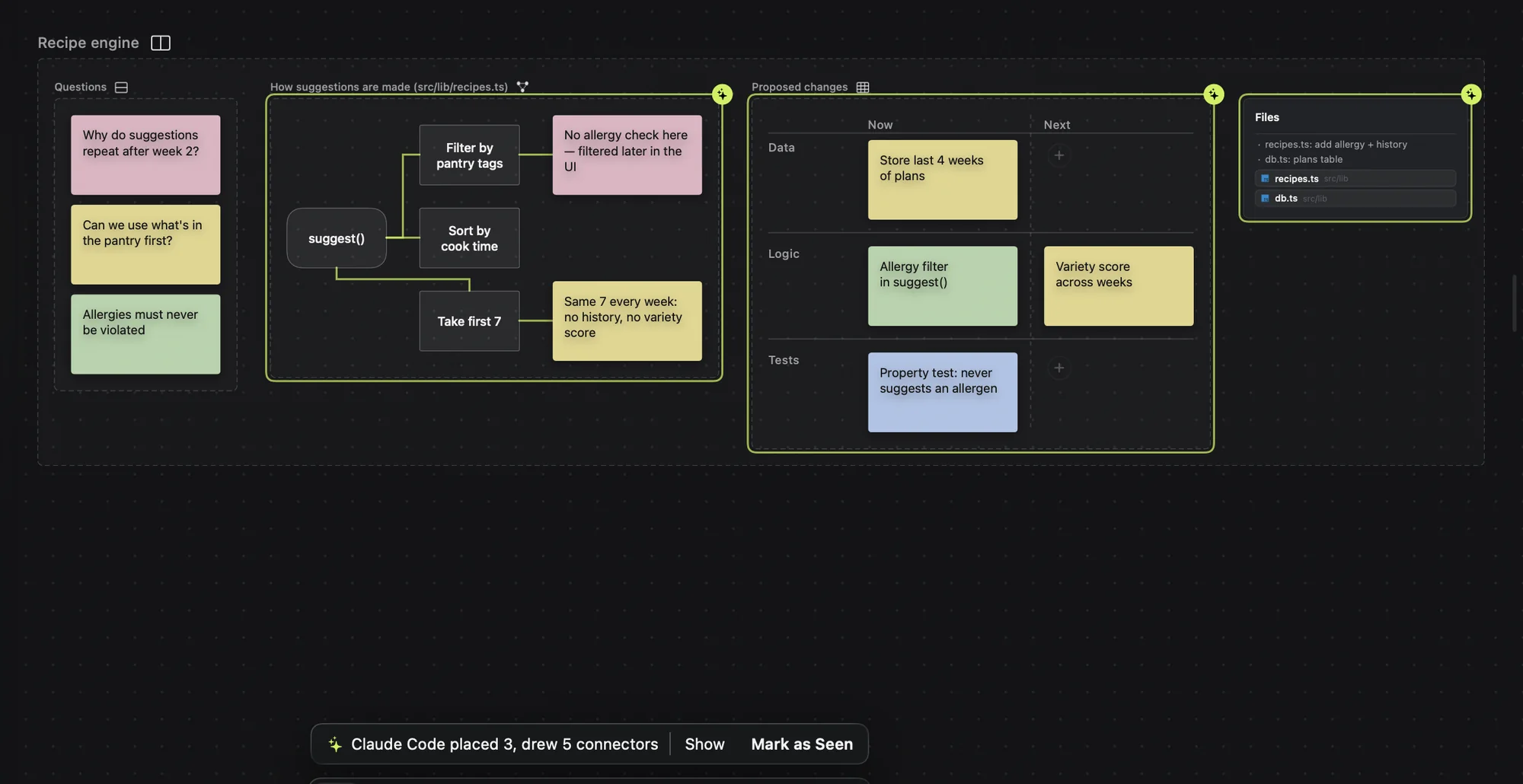
Folto AI reads your notes and your code, then lays out the flow, the options, and the files to change right on the board. Everything it places, you can move and reshape by hand.
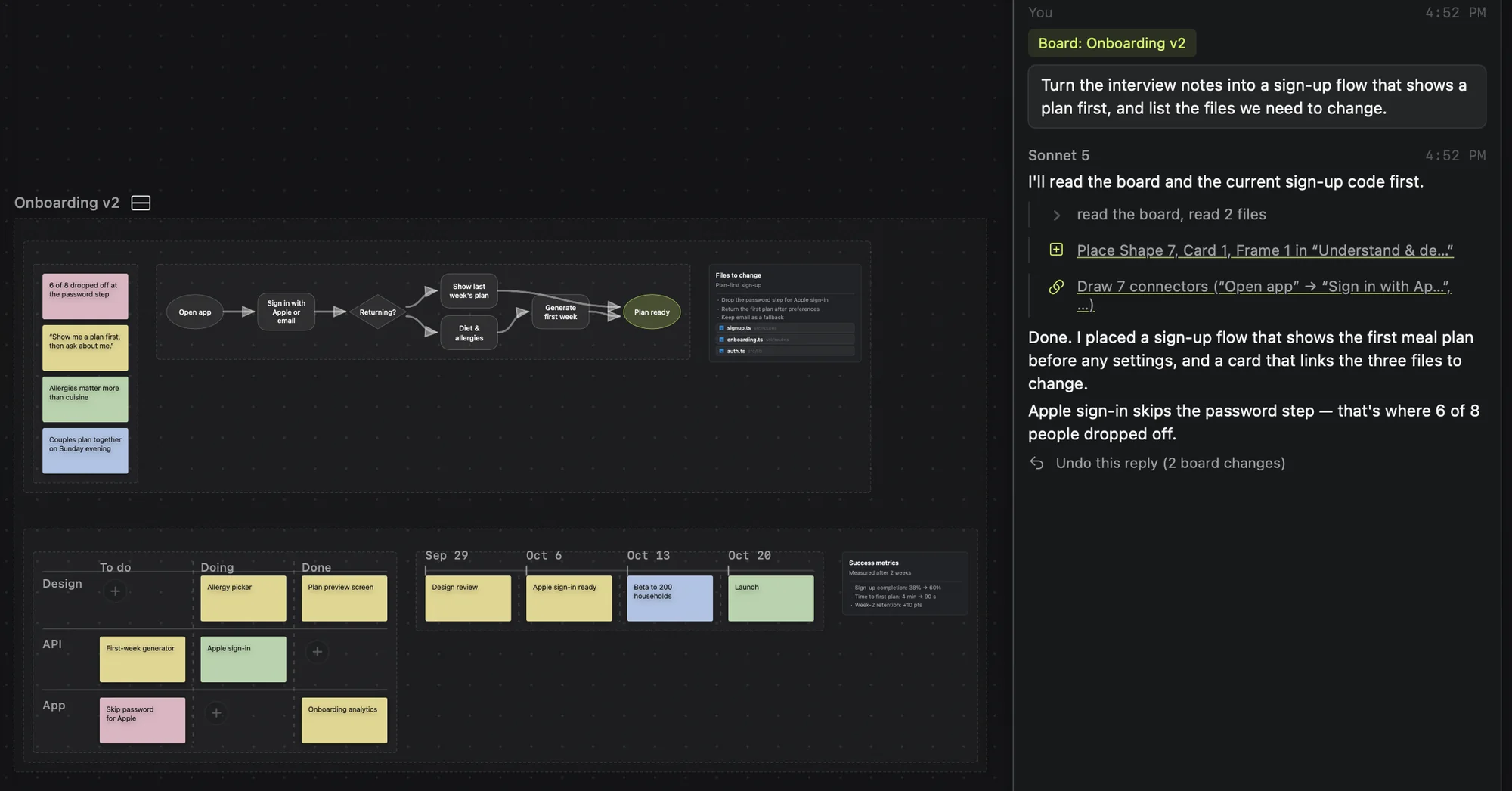
Think, plan, manage, create, and build in one connected flow. Your ideas, your plans, and your real files are shared with the AI, so you can move between exploring and building without explaining the context from scratch each time.
Coming soon for Mac · macOS 26 or later · Apple silicon Macs
Why Folto
When you work with AI in an editor like Cursor, you probably have it organize your thinking and plans into Markdown, or render them as HTML or images so you can check them visually. That works, but Folto makes it seamless. Instead of only writing your thinking into files, the AI organizes it visually on a board, like Miro or FigJam, so it’s easier to see what’s really going on and your next ideas come more naturally.
Board
Folto AI reads your notes and your code, then lays out the flow, the options, and the files to change right on the board. Everything it places, you can move and reshape by hand.
Plans & tasks
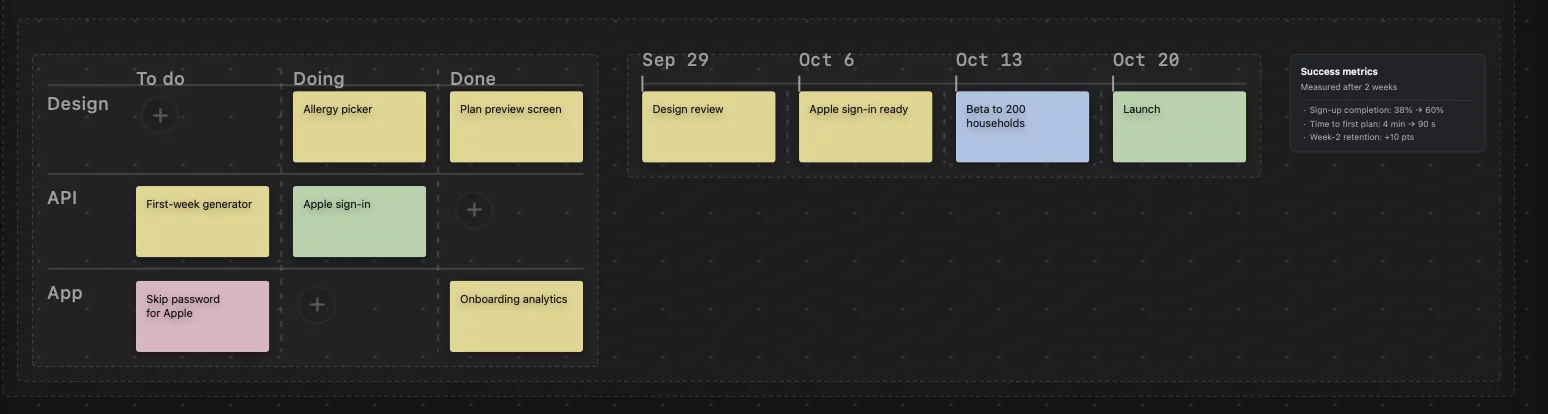
Like Notion, you can plan and manage tasks and projects right on the board. There are flowcharts, kanban lanes, trees, timelines, and more, and the AI picks the right one for the situation as it creates tasks, keeps them organized, and helps you analyze where things stand.
Decisions
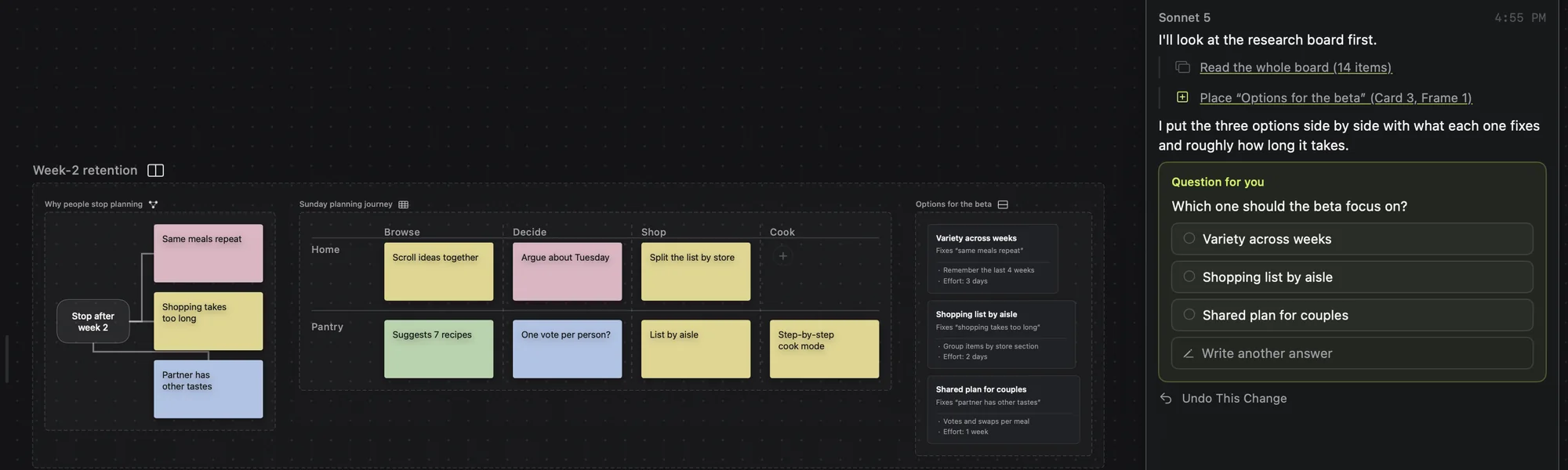
When there’s a real decision to make, Folto AI lays out the options on the board and asks which way to go.
Editor
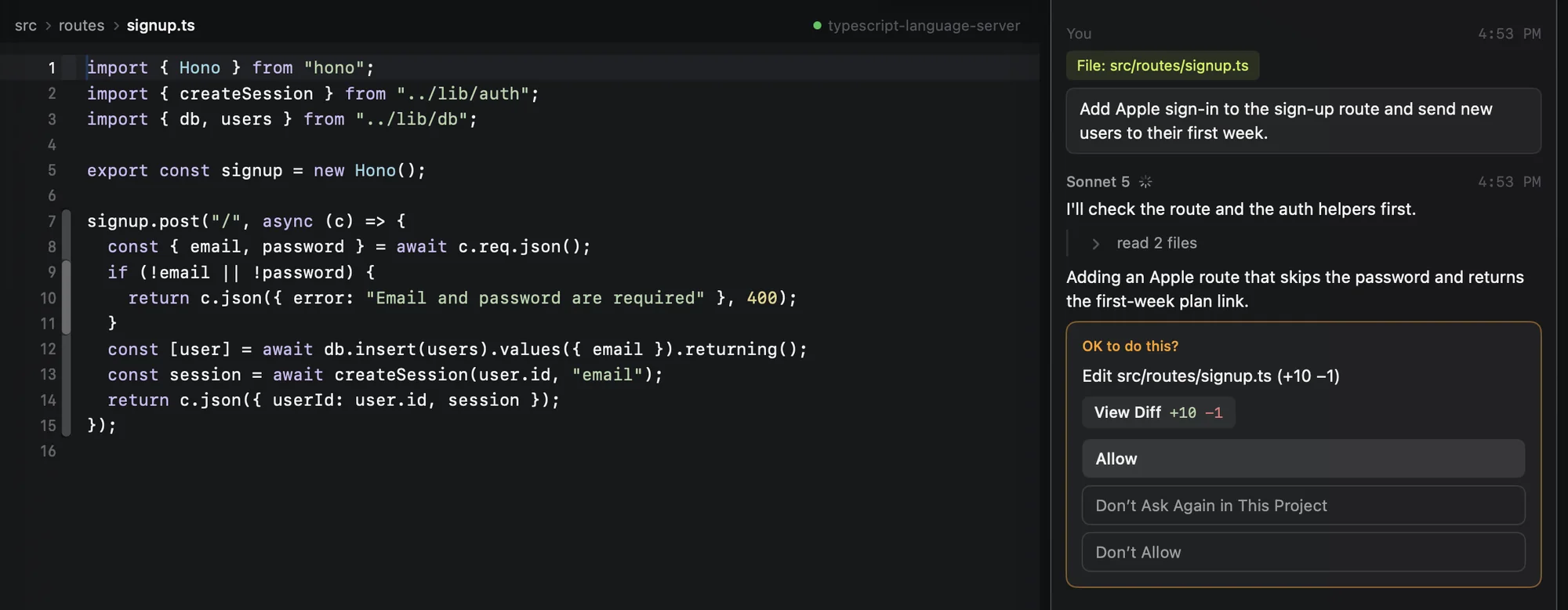
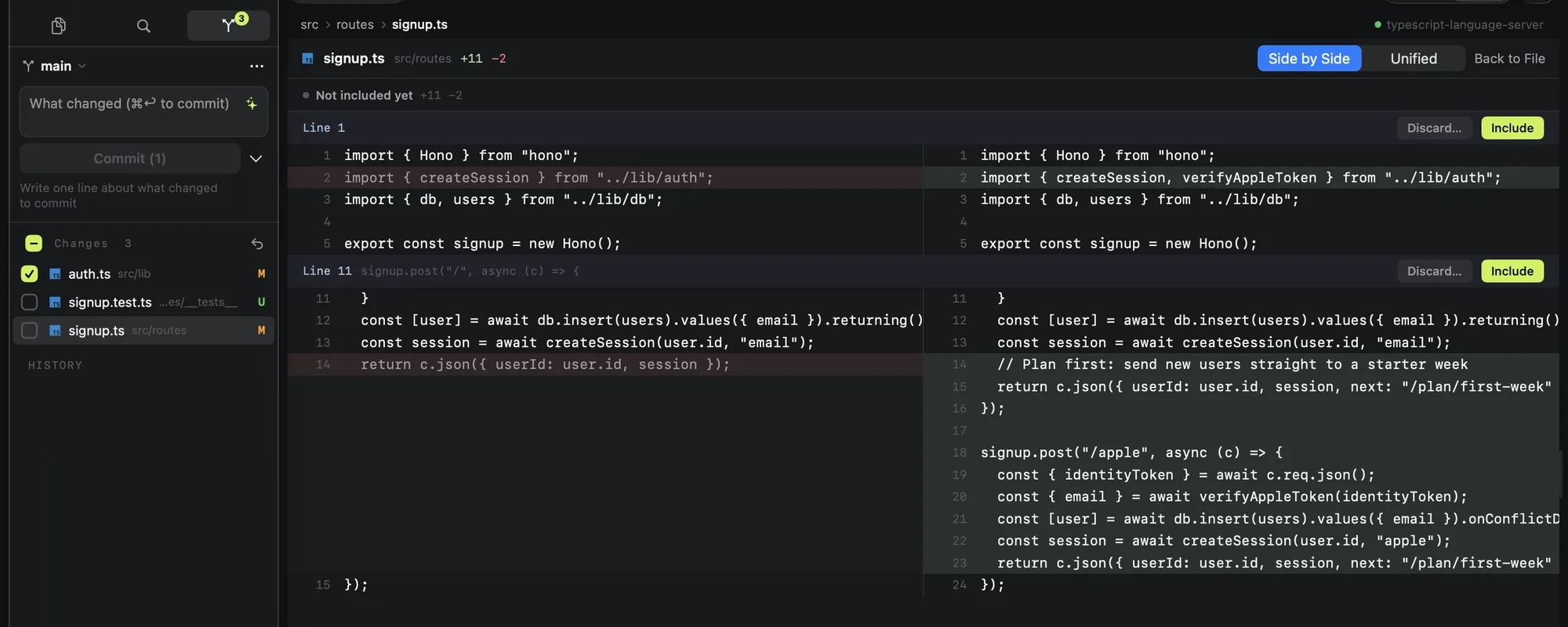
Move to the editor with the same context. The AI edits your real files and shows you the diff before it writes anything. Every reply can be undone.
Claude Code & Codex
Claude Code and Codex can read and operate the board over MCP. Have them lay out their findings and plans on the board, and new changes are marked for you to review.
Git
An editor with language support, a built-in terminal, and source control with side-by-side diffs. Include changes in a commit hunk by hunk.
Add to them, and they keep themselves arranged.
The editor, board, terminal, and Git are included in every plan. Add Folto AI, or board access for Claude Code and Codex, when you need them.
See pricing
Folto is in active development. Read the docs to see how it works.